ClassJobs: Teacher Guide
ClassJobs is designed to help you manage a classroom economy by posting jobs, tracking student applications, and rewarding performance.
1. Getting Started (Registration)
To start using ClassJobs, you must first create a Teacher Account:
- Go to the ClassJobs login page and click the Register tab.
- Select Teacher from the Role dropdown.
- Enter your preferred Username/School ID and a secure Password.
- Master Password: You will be prompted for an "Admin Master Password". You must enter the correct master password (ask Mr Leane) to successfully register a teacher account.
- Click Register. Once logged in, you can begin setting up your classrooms.
- Glass-morphism Stats Bar: At the top, you'll see your Savings, Earnings, and Debt clearly displayed.
- Help Icons (?): Hover over the question marks in the headers for tips on how each section works.
- Cash History Graph: A visual representation of your financial trends over time.
- Available Jobs: Browse positions in a clean 2-column grid.
- Admin: Global Password Management: If you are the head admin (MrLeane), you will see an additional card that allows you to search for any user in the system and reset their password instantly.
- Help Icons: Look for the small ? circle next to card titles. Hover over them for instant instructions on how to use that specific card.
- Minimize Buttons: Use the − button to collapse cards and focus on what matters.
- Manage Students: Scroll down to the "Students in Classroom" table to:
- Post a Job: Fill out the "Post New Job" form.
- Auto-Refresh: If enabled, the job will automatically archive and re-post once all slots are filled and acknowledged, preserving application history.
- Renew Jobs: Use the Renew button to add 2 extra days to a job's deadline.
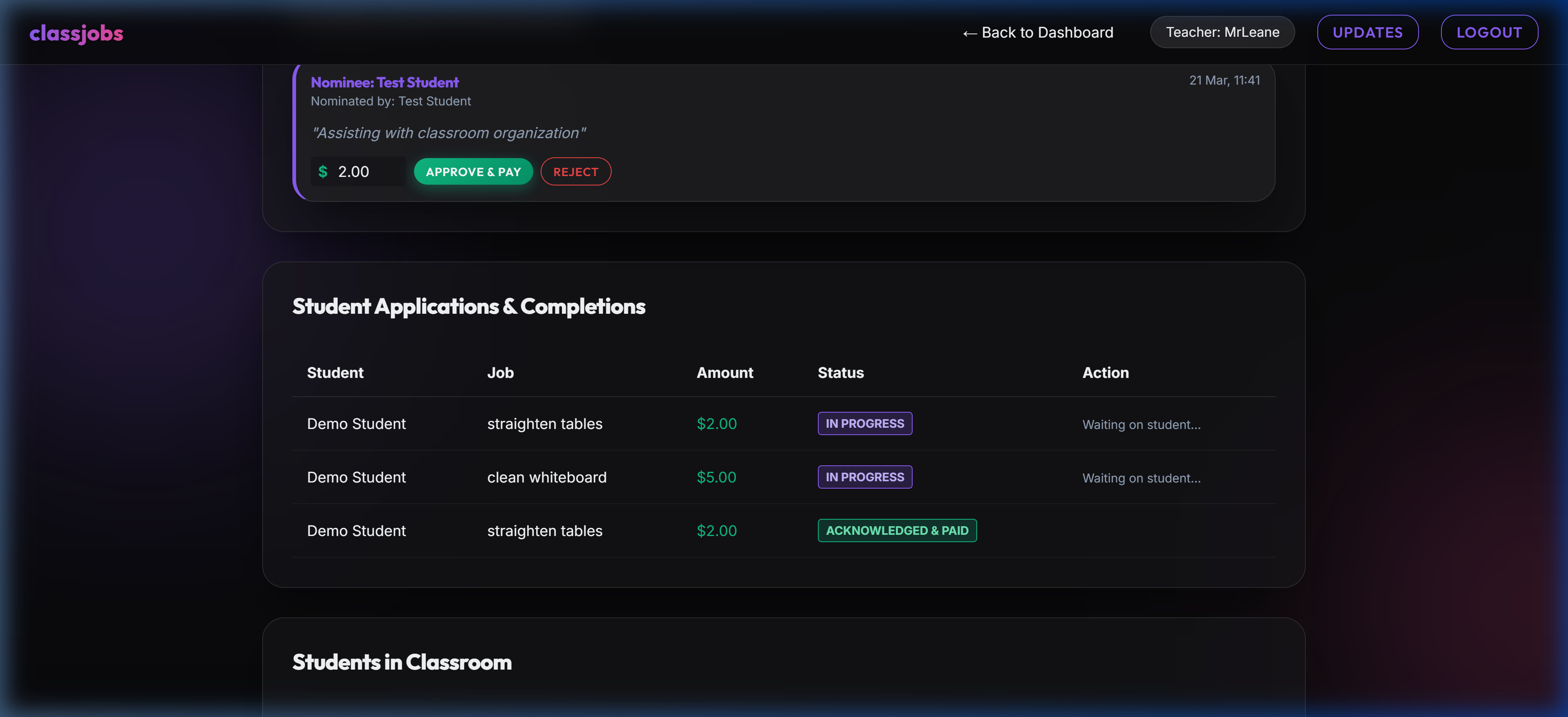
- Applications: In the Student Applications & Completions table, click Acknowledge ($) to verify finished work and pay the student.
- Student Nominations: Review awards submitted by students for themselves or peers. Set the award amount and click Approve & Pay to reward their initiative.
- Income Streams: Set up automated payments for students (e.g., "Weekly Salary") that apply at a set interval.
- Expenditures: Set up automated deductions (e.g., "Rent" or "Tax").
- Processing: These items are processed automatically whenever a teacher visits the classroom dashboard.
- Target URL: `https://your-site.com/cron_process.php?key=svcc_cron_2026_safe`
- Recommended Schedule: Once per day (at midnight).
- Security: The `key` parameter is required to prevent unauthorized access. You can find or change this key in `includes/config.php`.
2. Your Dashboard
Your dashboard has been upgraded to a modern, responsive layout. It features:
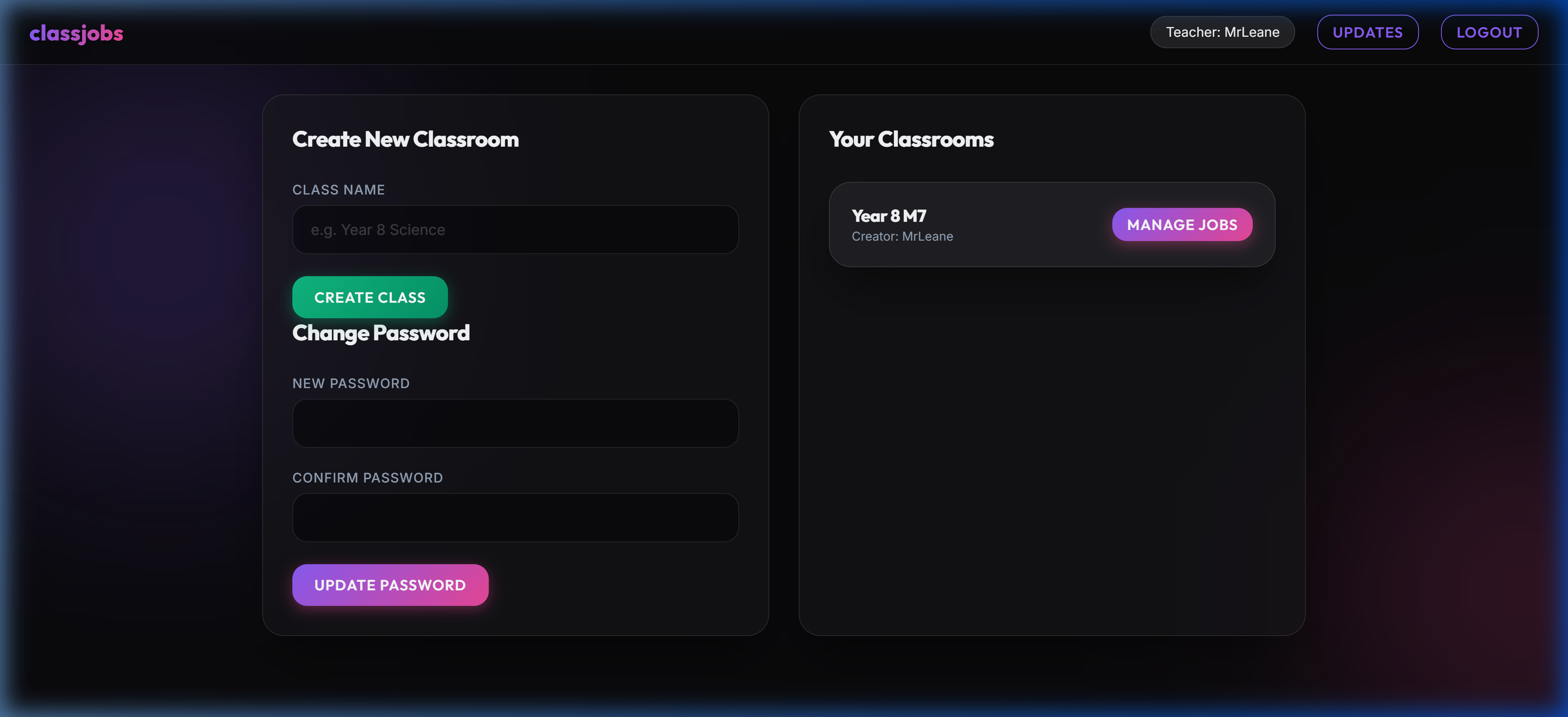
Teacher Dashboard Overview
3. Classroom Management
When you enter a classroom, you have a complete overview of the active jobs and your student list.
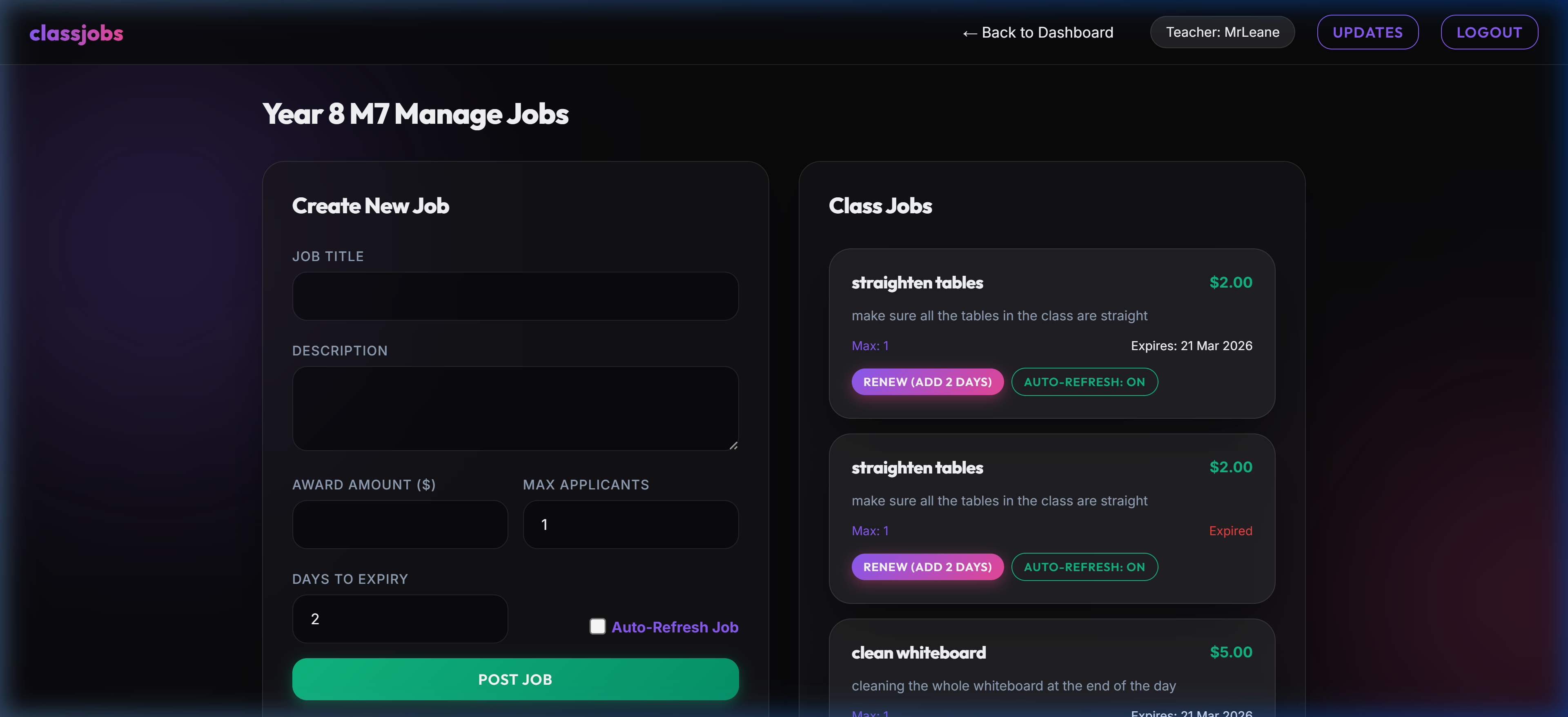
Classroom Management Header
- Reset Passwords: Click the "Reset Pass" button to set a student's password back to 'password'.
- Adjust Cash: Use the "Apply Cash" button to manually add or subtract money for behavior points or fines.
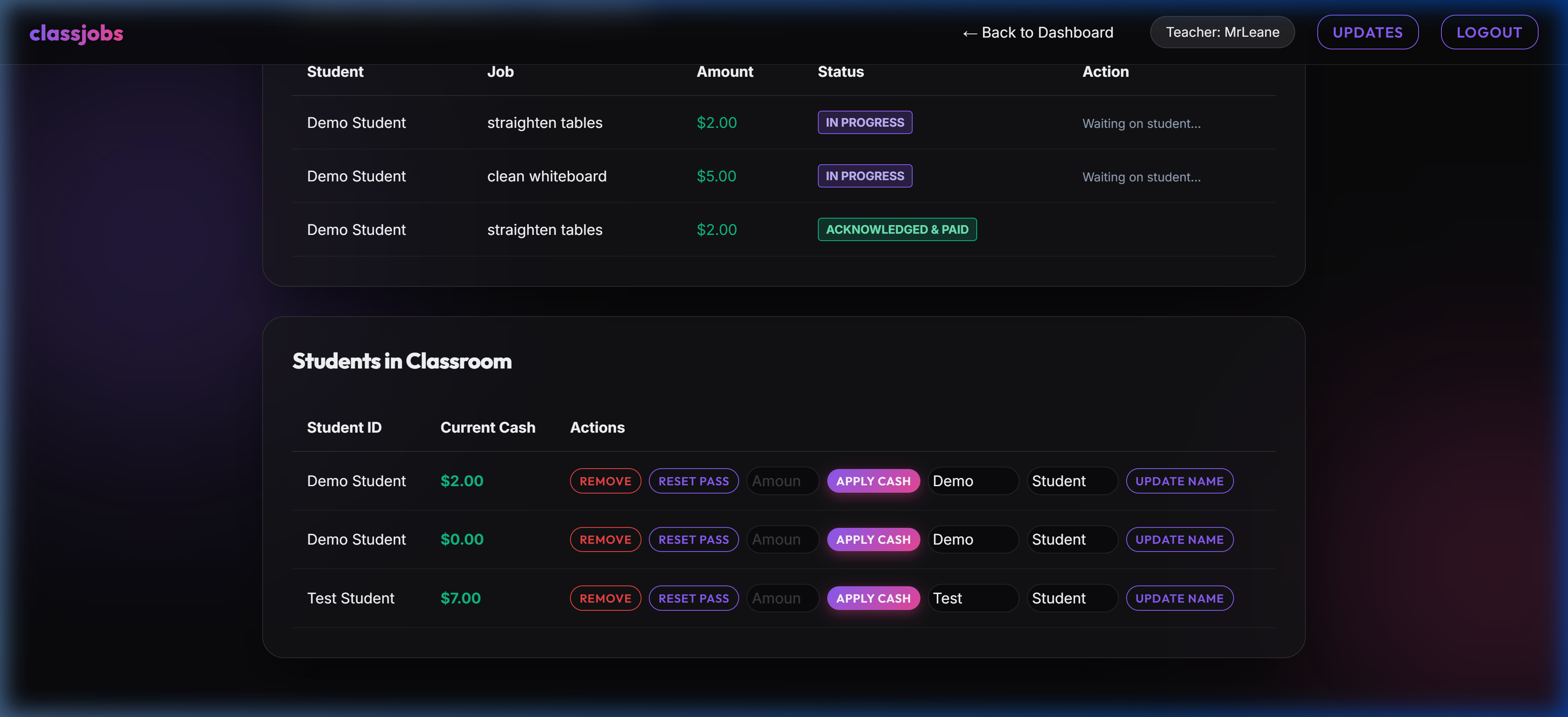
Student Management Table
4. Managing Jobs
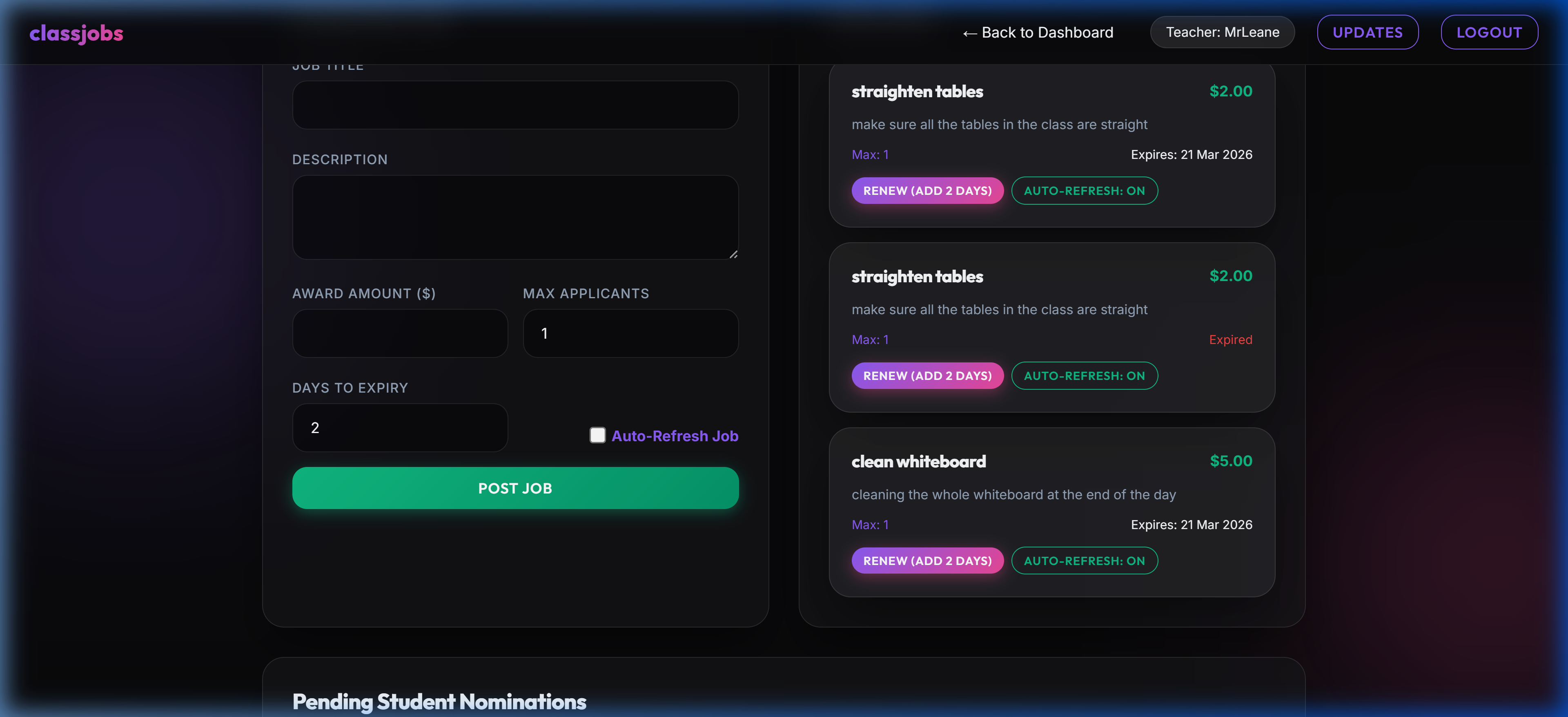
Job Management
5. Reviewing Applications & Nominations
Nominations System
6. Automated Economy (Recurring Items)
ClassJobs can automate your classroom's recurring financial events:
🤖 Setting up Automated Cron (Advanced)
To ensure these events run even if no one logs in, you can set up a Cron Job on your server to "ping" the system daily.
*Empower your students with a thriving classroom economy!*